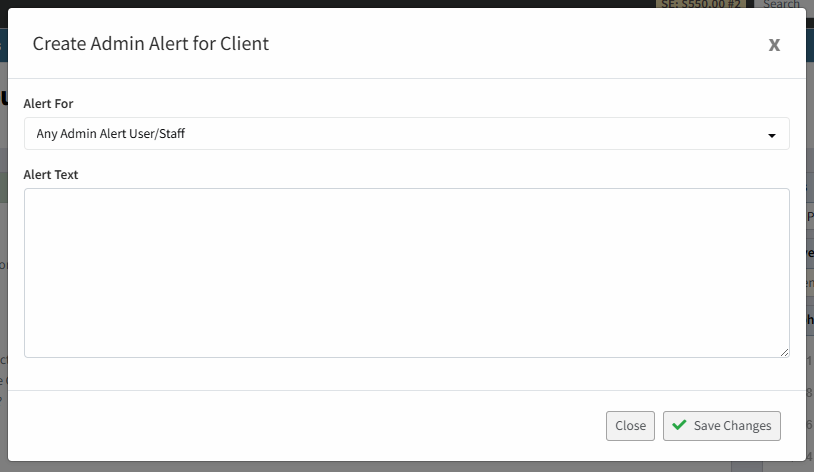
When setting up Admin Alerts for a client you need to first set up Profiler on who to receive in the users admin alerts.
For a user you wish to receive admin alerts when it’s set against a client (under Client Quick Actions > Admin Alert) go to Setup > User Management and for the user you wish click on the “…” menu and choose Edit User
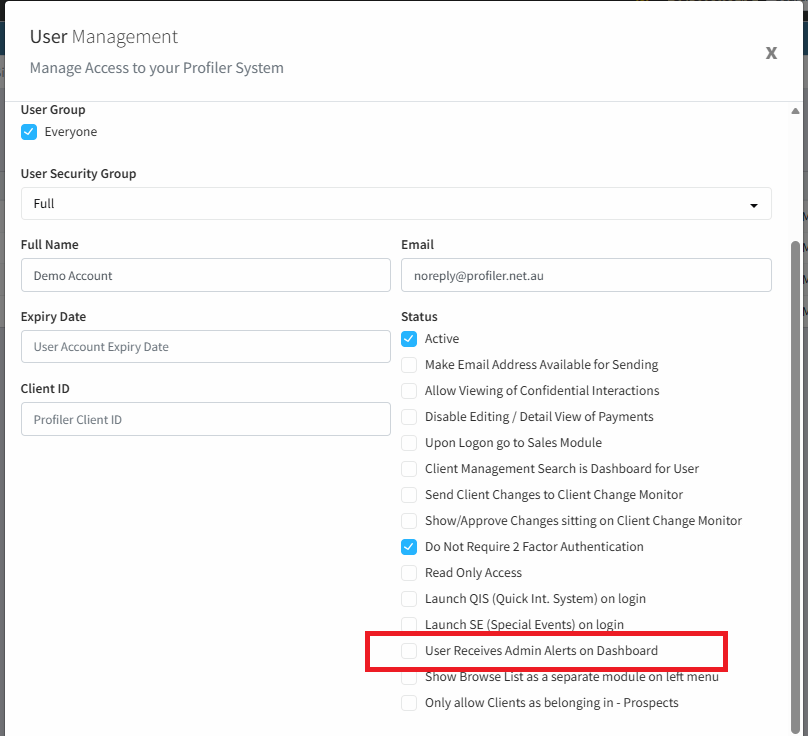
In the option for the user choose User Receives Admin Alerts on Dashboard and ensure it’s ticked. This allows the user to be set for receiving admin alerts. Click Save Changes
Then when creating Admin Alerts for a client you will be able to select the user from the dropdown if requiring a specific user, or leave the default all users.